You can open any of the saved spectrum data files in Excel, since the files are stored as plain text for easy accessibility.
- Go to File > Open and browse to the location that contains the text file. Make sure to change the File -> Open dialog to “All Files” instead of “All Excel Files”.

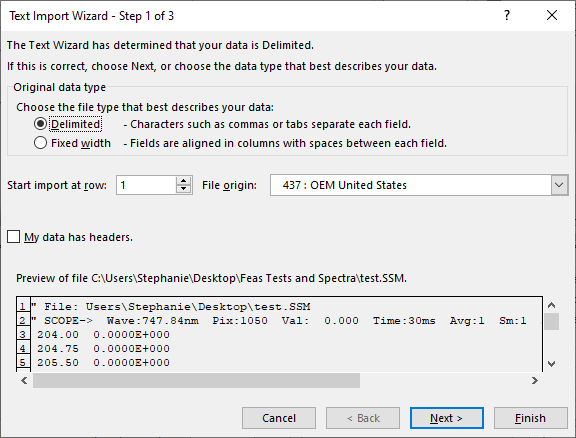
- Once the file is chosen, you will see a text import wizard. Choose delimited and click Next.
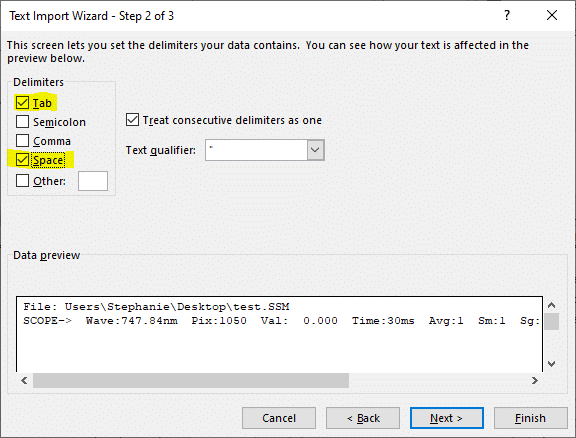
- Now choose tab and space. If you do not choose space, the data will not be broken apart into different cells.

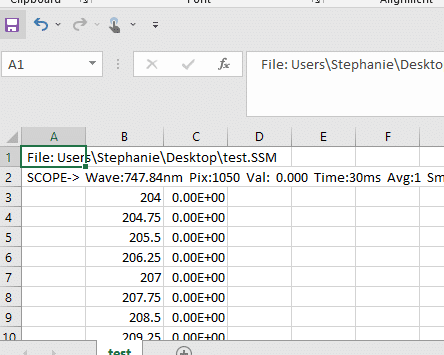
- Once you hit Finish you should see something like this: