
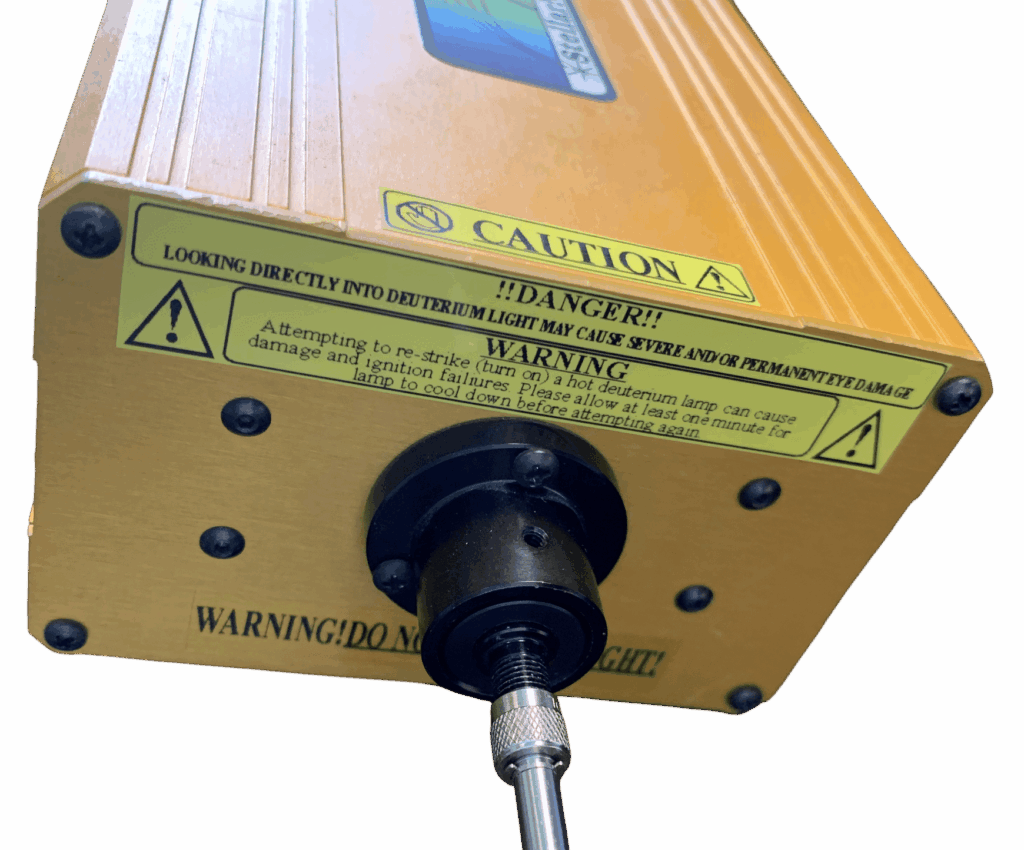
Our SL1-CAL and SL3-CAL lamps have a black nose cone on the front designed to accept a CR2 plus CR2-AD adaptor. The design allows for simplified repeatable positioning of the cosine receptor in the “Inserted” position. All SL1-CAL and SL3-CAL lamps come with two calibration files; “Inserted” and “At Plane.”
- Inserted: the “Inserted“ calibration file is generated with the cosine receptor inserted into the lamp using the included CR2-AD adaptor. The file is generated using a NIST calibrated system at the “inserted“ distance to characterize the lamp. Other light collecting accessories are not going to fit inside this conveniently designed nose cone, so we also provide a 2nd calibration file at a further distance called the “At Plane“ calibration file.
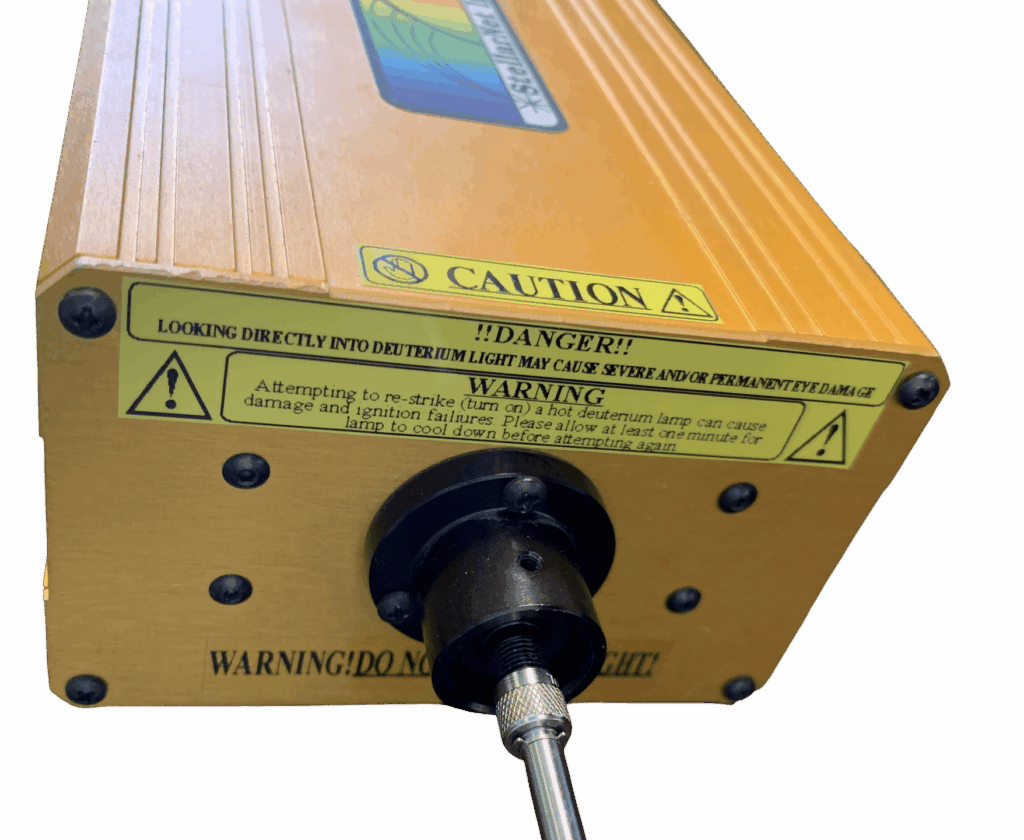
- At Plane: the “At Plane“ calibration file is generated with the same cosine receptor pulled back to the “At Plane“ distance where the cosine receptor is at the plane of the opening of the black nose cone and the lamp is characterized to generate the “At Plane“ ICD file. A customer would then take their own light collecting accessory, remove the CR2-AD (usually ships with the adaptor inside the nose cone) so that it is not in the way, place their light collecting accessory at the plane of the opening of the lamp, and calibrate the combination of light collecting accessory plus fiber, plus spectrometer using this “At Plane“ ICD file.
The data files are simple ASCII formatted text files where the first column of data is the X-axis in nanometers and the 2nd column is the corresponding Y-Axis in W/m2 to give W/m2/nm.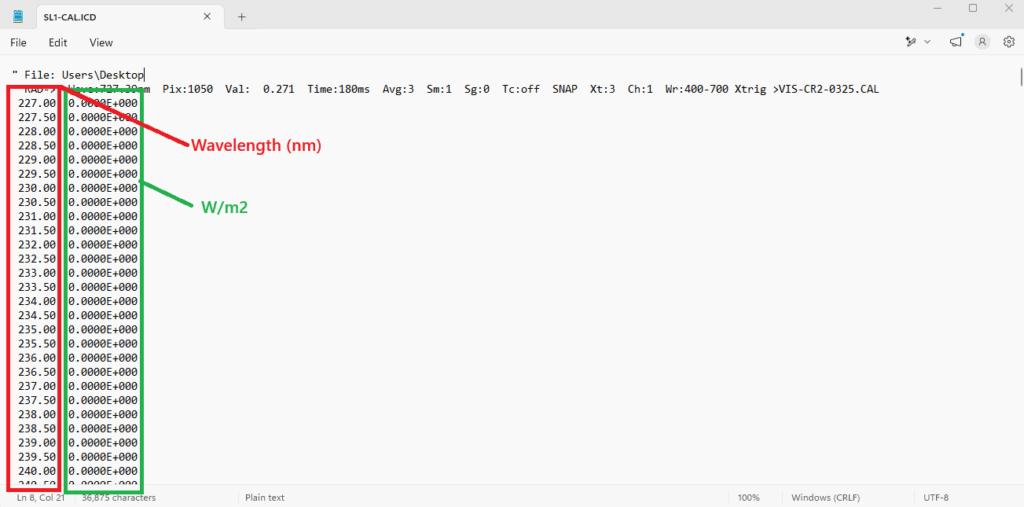
Customers are to use this file to normalize their own StellarNet instruments to the lamp.
The software takes the ICD file and uses algebra to convert the raw SCOPE mode data to equal the ICD data. It also takes note of the integration time at the time of calibration so that the linearity can be preserved by multiplying the ratio of the integration time at the time of measurement to the integration time at the time of calibration; this allows the system to be used at different integration times and still get the correct answers.
If the user is planning to calibrate 3rd party instruments, they will need to format our .icd file to match the formatting of the intended system and review how to use that system’s software to perform a calibration.
StellarNet sells calibrated radiometers which consist of a spectrometer, light collecting accessory (usually a cosine receptor or sphere), something to channel light between the light collecting accessory (usually a fiber or SMA coupler), and a calibration which we perform in our laboratory. We then sell calibration lamps for customers to perform re-calibrations with and/or custom calibrations, and/or calibrate 3rd party instruments.
If you would like further guidance on how to calibrate a StellarNet spectrometer using a calibration lamp, you can find software based instructions on the knowledge base for how to calibrate using StellarPro (recommended) and with SpectraWiz (legacy).