
StellarPro Installation Tutorial – Linux
- Unzip the StellarPro application folder.
- Place StellarPro Executable in the Desktop or at your desired location.
- Right click on the executable and click on permission tab and allow Read and Write permission for Owner, group and others, also check for Execute as show in picture below.
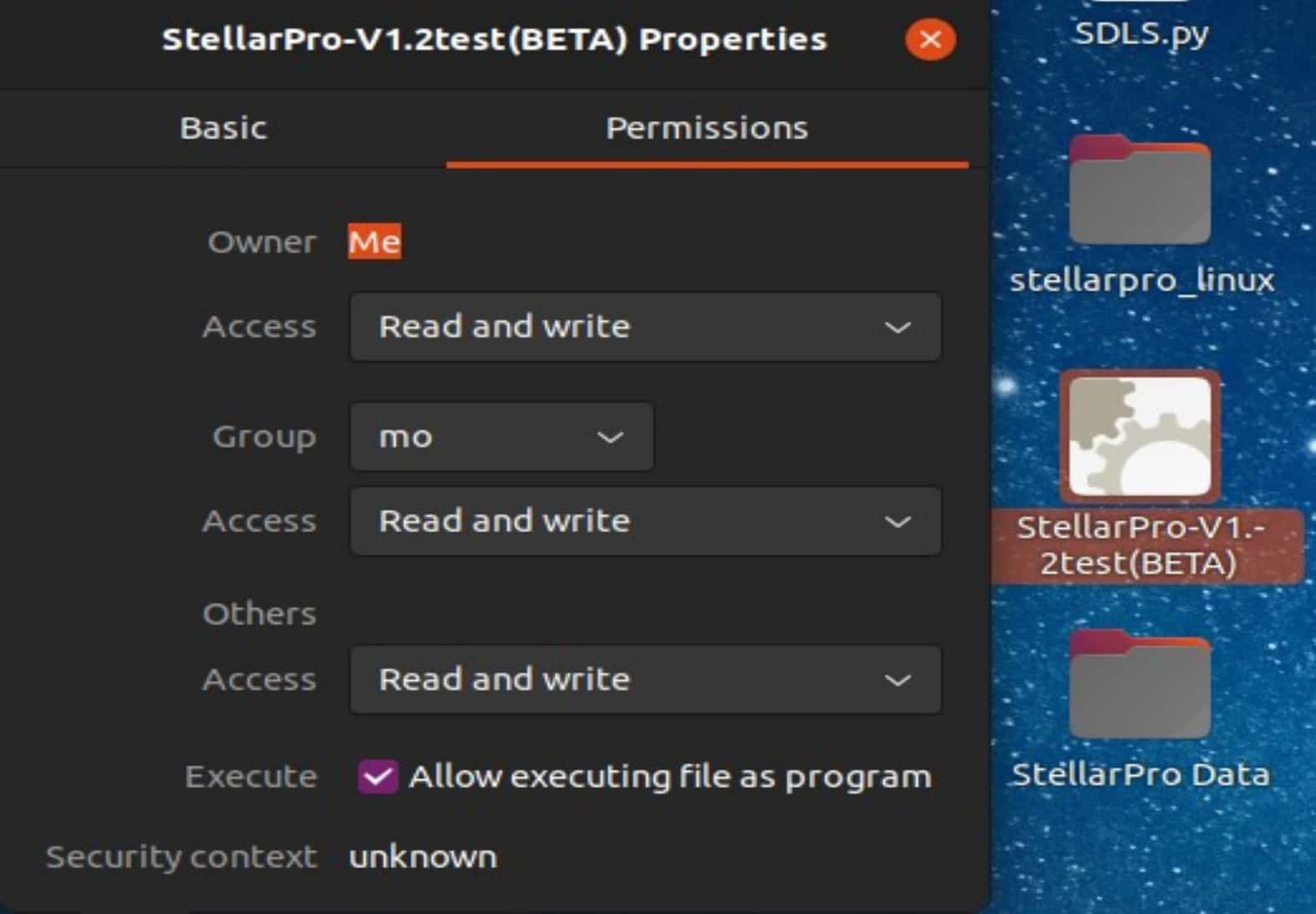
- The StellarPro application requires “sudo” permission. Follow the steps below to run the StellarPro Application:
Note: StellarNet has builds available for many Linux based platforms, the main offering is intended for Debian based Linux. StellarNet also has custom variants for the NVIDIA Jetson, and builds for several Raspberry Pi project boards. If you are interested in any of these, please fill out and indicate on the software license agreement and contact a StellarNet representative to discuss the options. If an operating system environment is not yet supported, StellarNet can compile a custom build of the driver for a one time NRE fee.